HomeTradewind Education App Commonly Asked Questions

Tradewind Education App Support for Teachers

Here you’ll find answers to the most common questions about using the app and requesting a sub.

FREQUENTLY ASKED QUESTIONS

Profile

Once you have onboarded with Tradewind Subs, you will be sent two emails — the first with your username and password, and the second with a guide on where to download the app, as well as a “how-to-use” video we’ve created to guide you every step of the way!

To update notifications, please adjust your settings through your device’s usual system settings, allowing Tradewind Education access.

No! Although we have endeavoured to create an app that makes third-party staffing as seamless as possible, we understand that not all our School Partners want to work this way. Other ways you can access our technology are through the desktop version of our app or through the more traditional email and phone route. You can contact the team directly by utilizing our direct office line at 323-408-8333, or our shared email address, hello@twsubs.com. Our goal is to make things as seamless as possible for you and your team; we’re more than happy to work with your preferences.  

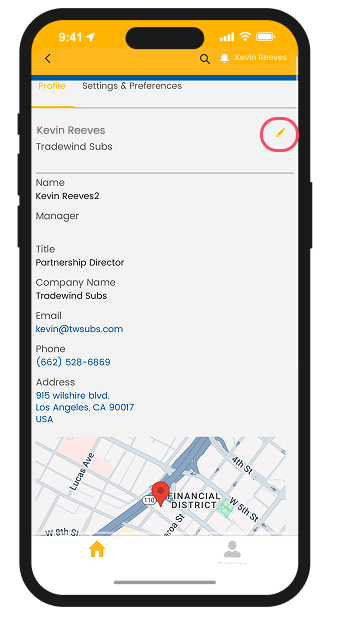
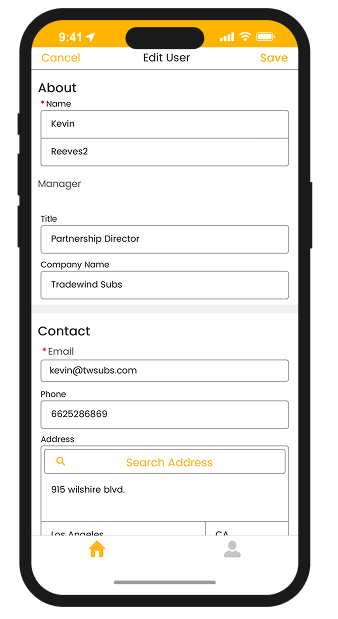
By clicking on your name in the top right-hand corner of the home screen, you’ll be taken to the ‘My Profile’ section of the app, where you can update all your contact details and personal information.

Yes. Each user should have their own login so that bookings and approvals can be tracked accurately. We can set up as many users at your school as you’d like.

If you ever have trouble logging in, simply email hello@twsubs.com, and one of our team members will reset your login details for you.

We take every step to ensure your school’s data is secure and that all information is handled responsibly and confidentially. For full details, please refer to our Privacy Policy.

FREQUENTLY ASKED QUESTIONS

Booking Educators

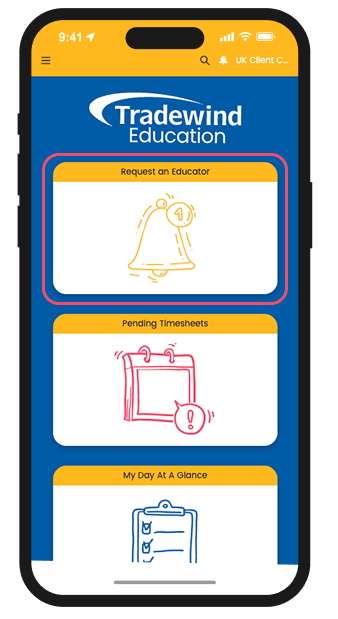
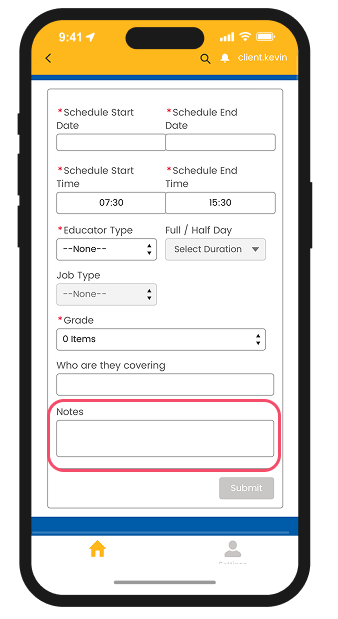
Click the “Request an Educator” icon on your home page. This will take you to the booking page, where you can fill in the necessary details to ensure Tradewind Subs finds the most suitable Educator for your vacancy.

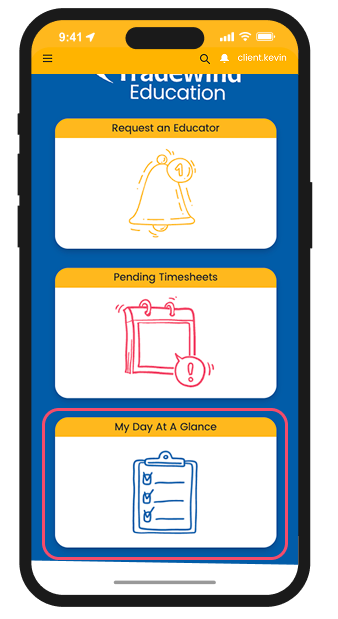
Once the request form is completed and submitted, the Tradewind Subs team will receive the details and work on filling your request as soon as possible. When filled, the booking will appear in your “My Day at a Glance” section, where you can view all current and upcoming bookings for your school.


As soon as the booking is received, we’ll reach out to let you know that we’re working on it, and once confirmed, you’ll receive a booking confirmation including the Educator’s compliance details.


You sure can! If there are Tradewind Subs Educators you’ve met before and would prefer for a specific shift, simply enter their names into the free-text ‘Notes’ section. We’ll do our best to secure them for you! You can also use this section to share any additional information about the position or class to help us find the most suitable Educator possible.

Not at present. However, we understand that requests and needs can change. If you ever need to make changes, please email the Tradewind Subs team at hello@twsubs.com to inform us.

Get in touch

If you have any questions about our app, don't hesitate to reach out.

Our office hours are Monday to Friday, from 7am to 5:30pm, and our phone lines are available during these times.

Tel: 323 408 8333

For less urgent enquiries or if you prefer email, please complete the form on this page to contact our office.